
Turn recordings into videos that explain.
Split a recording into steps and explain each one with captions, narration, zoom, and a pointer. Use it for how-to guides, product demos, walkthroughs of slides, and more.
Exported from StepCut. Three steps with captions, a box, zoom, and an arrow
Focused on adding explanations
It does fewer things than a general-purpose video editor, so the controls stay simple.
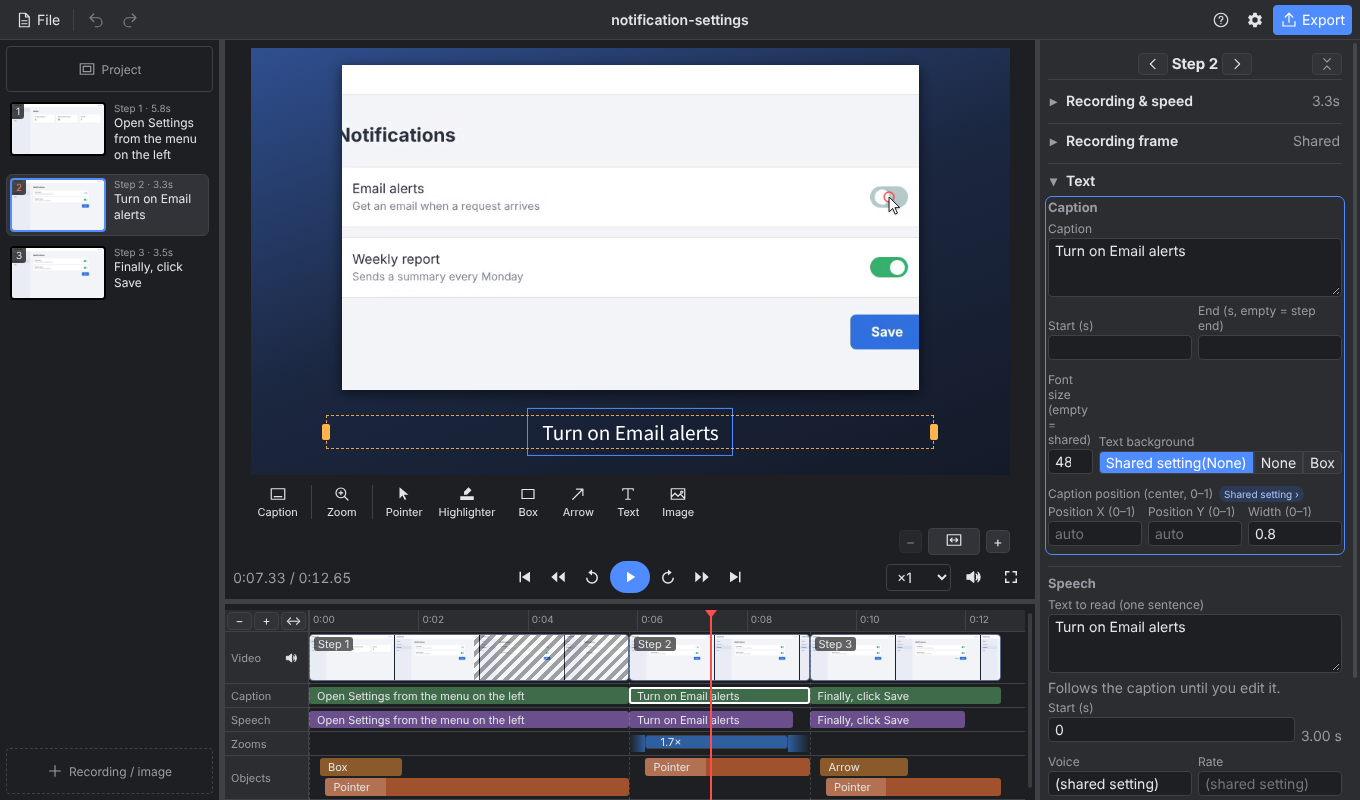
Unlimited tracks
The timeline has five lanes: video, captions, narration, zoom, and objects. You can see everything at a glance.
Elaborate transitions and animations
Scene changes use a fade or a flash.
Screen recording and webcam capture
Open an mp4 recorded with the tool you already use.
When narration runs long, the video waits
If the narration is longer than the video, the last frame holds until the narration ends. Voice and video line up automatically.
Cut one recording into steps
Make steps from the parts of one continuous recording that you need. Anything not in a step is left out automatically.
How it works
Four tasks take you from a recording to an export. This video was also made with StepCut.
Add a recording
Open an mp4 you recorded. You can add images too.
Split into steps
Split where the explanation changes. Only the parts you need become steps.
Write captions
Write one sentence per step. It is read aloud. Add a zoom or a pointer where you want to draw attention.
Export
You get an mp4.
What you can add
Each example adds one item to the same scene. You can combine them.
Use cases
Every video here was made with StepCut. Next to each one is the editor used to make it.
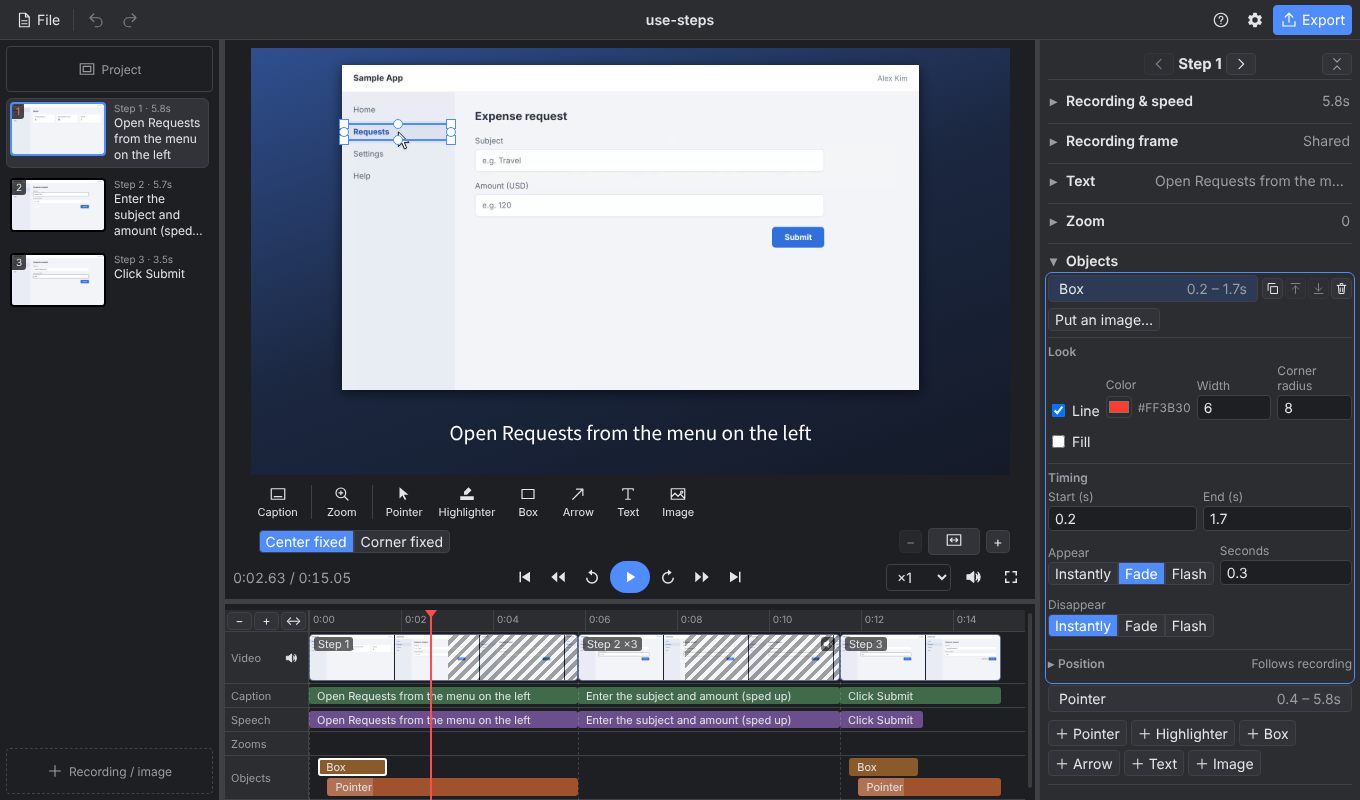
Show how to do something
Show where to click with a pointer and a box. Speed up slow parts, such as typing.
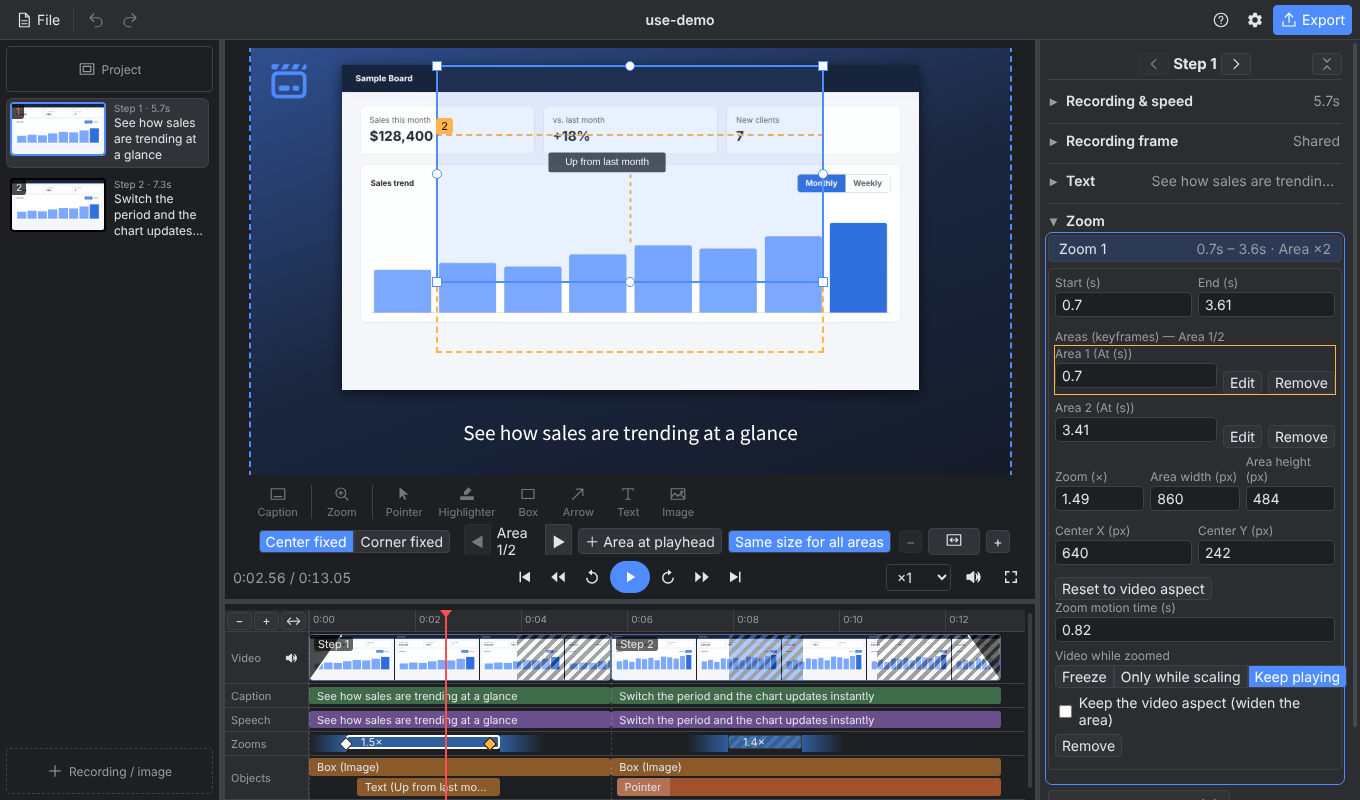
Demo a product
Zoom in on what matters and pause the video to explain it. Overlay text or a logo, and fade in and out.
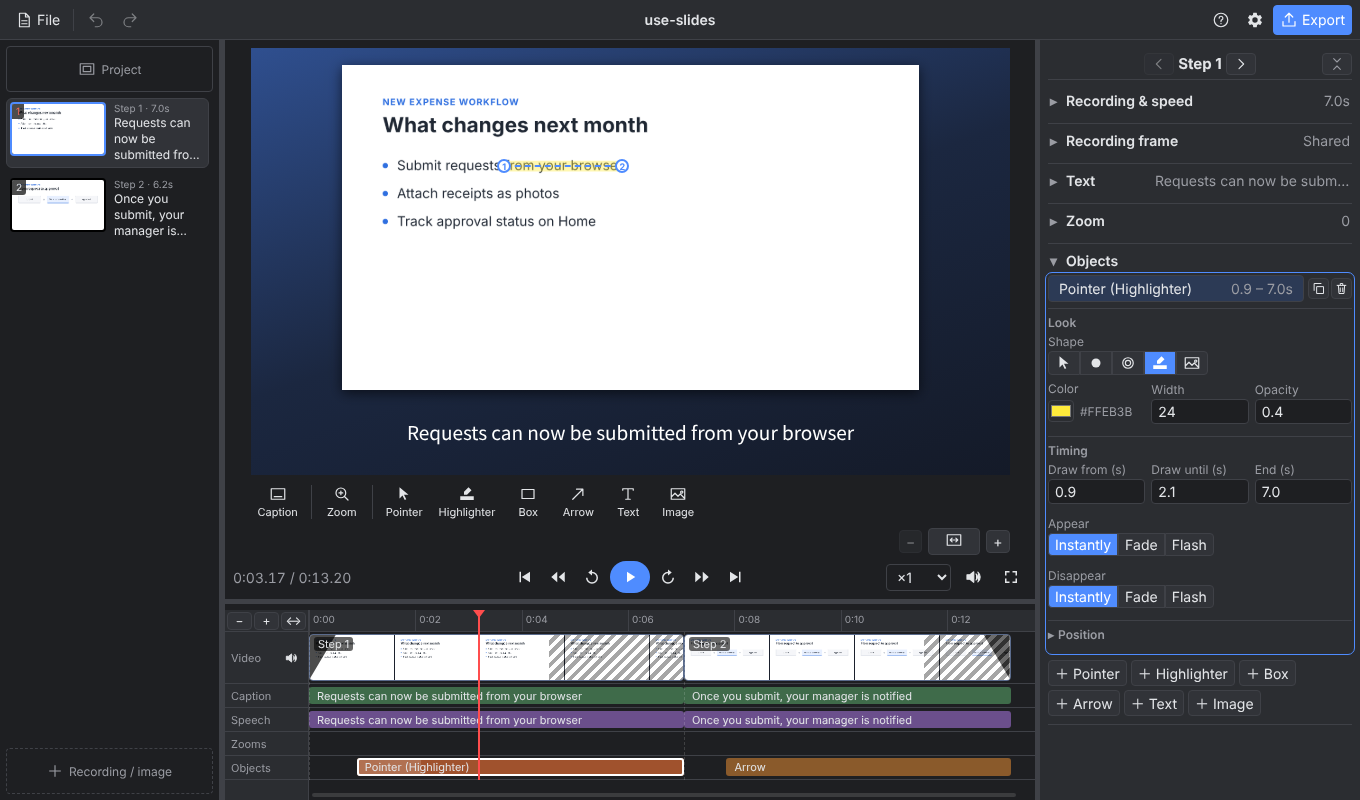
Walk through slides
Images can be steps too. Line up your slides and narrate them while pointing with a highlighter and arrows.
Works offline
Everything from editing to export happens on your PC. Your recordings are never uploaded.
Free and open source
Apache-2.0. No account and no payment.
Edit with AI beta
A project is a text (JSON) file. You can ask Claude Code to draft captions and more.
FAQ
Is it free?
Yes. It is open source under Apache-2.0, with no account and no payment.
Are my recordings or projects sent anywhere?
Not with the default settings. Only if you choose Azure AI Speech for narration is the text to be read sent to that service.
Can I choose the narration voice?
Yes. Besides the built-in Windows voices, StepCut can connect to Azure AI Speech and VOICEVOX. You can set the voice and speed for the whole project or for each step.
Does it run on Mac?
Windows only for now. A Mac version is planned.

Download StepCut
If you see "Windows protected your PC" on first launch, click "More info" and then "Run anyway". This appears because the app is not code-signed.